

Blog
How to do perfect strafes in CS2?

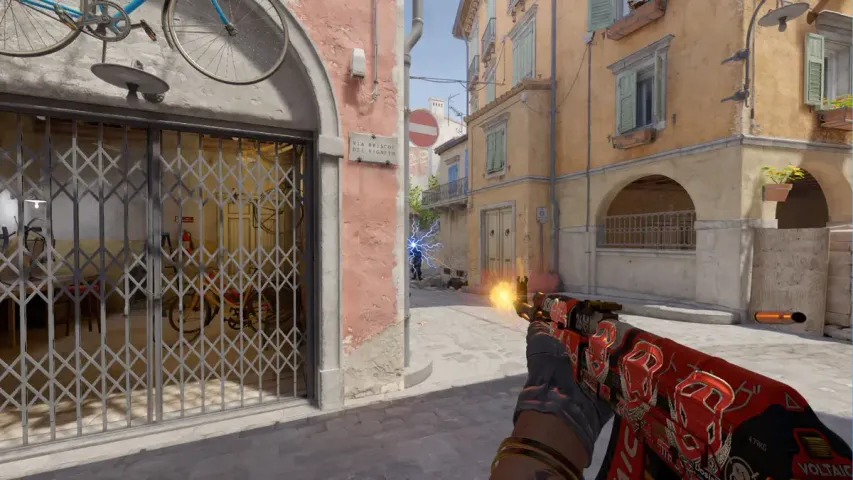
With the transition to Counter-Strike 2, players often encounter issues with strafing. These maneuvers may have been honed in CS:GO, but due to the new mechanics and engine in CS2, the character model feels significantly different.
Many have noticed that when strafe and then counter-strafe to stop instantly, the character still slides for a split second, as if on skates or rollerblades. This was a problem in the early stages of Counter-Strike, and players developed so-called null binds to improve movement.
How did Razer solve the problem of poor strafe?
Recently, Razer, a company known for producing gaming peripherals, released a keyboard called “RAZER HUNTSMAN V3 PRO” with SNAP TAP technology.
Here’s how Razer explains its new technology:
With Snap Tap mode, whenever two opposing directions are detected, the most recent input will take precedence. This means your character will no longer stop moving in the heat of battle when two opposing directional keys are pressed.
One of the first to actually test this technology was Dorian ” xertioN ” Berman of MOUZ :
It’s amazing how clean and crisp the movement has become.
Essentially, Razer will now control your strafes, allowing you to perfectly peek around corners. However, it’s important to note that you still need to master the art of proper strafe, as you’ll still need to press the A and D keys.
The technology only activates the last button pressed. This means that when you change direction while strafing, it happens instantly, without the need for precise timing. The keyboard handles everything, ensuring flawless strafing.
However, reading the comments of players who have tried Snap Tap, one can conclude that it won’t bring back the old CS:GO movement. You’ll simply no longer feel like you’re on skates or rollerblades.
Here’s how FaZe Clan player Robin ” ropz ” Cool commented on the technology:
Good work, Razer, but this is too much. This is literally a script known as null bind. Those who play KZ know the consequences. This feature removes human error. As far as I remember, this is prohibited on KZ servers in CS 1.6 and OSU.
Which keyboards are supported by Snap Tap?
This feature is currently available exclusively on Razer devices, which cost $250. Beta testing is also underway on Wooting keyboards, which are popular among many professional players, especially in Valorant.
Is there a free alternative to Snap Tap?
Yes! The so-called null binds from CS 1.6 are back in CS 2. Here’s a step-by-step guide on how to create a null bind on your PC:
- 1. Right-click on an empty space and create a text document.
- 2. Rename it to “autoexec.cfg”.
- 3. Move it to the game folder at C:\Program Files (x86)\Steam\steamapps\common\Counter-Strike Global Offensive\game\csgo\cfg.
- 4. Paste the following commands into the text document:
alias “checkfwd” “”alias “checkback” “”
alias “checkleft” “”
alias “checkright” “”alias “goForward” “-forward; +forward”
alias “goBack” “-back; +back”
alias “goLeft” “-left; +left”
alias “goRight” “-right; +right”alias “+mfwd” “-back; +forward; alias checkfwd goForward”
alias “+mback” “-forward; +back; alias checkback goBack”
alias “+mleft” “-right; +left; alias checkleft goLeft”
alias “+mright” “-left; +right; alias checkright goRight”alias “-mfwd” “-forward; checkback; alias checkfwd”
alias “-mback” “-back; checkfwd; alias checkback”
alias “-mleft” “-left; checkright; alias checkleft”
alias “-mright” “-right; checkleft; alias checkright”bind “w” “+mfwd”
bind “s” “+mback”
bind “a” “+mleft”
bind “d” “+mright”
5. Write in the launch options for Counter-Strike 2: “+exec autoexec.cfg”.
That’s it! Your movements will be cleaner and better. We can only hope that Valve will soon restore the CS:GO movement, and all this will be just a bad dream.
Is it prohibited to play with Snap Tap or null bind on FACEIT or other platforms?
Several professional players have already used this feature at EWC, and FACEIT has also officially sanctioned its use.


